Hair Style Editor
Try a new hairstyle before the salon
Head Shot PROs shows you with a new hairstyle before you visit the salon: upload a clear photo, pick a style such as a bob, soft waves or a pixie cut, or describe your own. It costs from 5 credits a run, and new accounts get 10 free credits.
Try Hair Style Editor
From 5 credits per run
What you'll need
- Your photo
Example
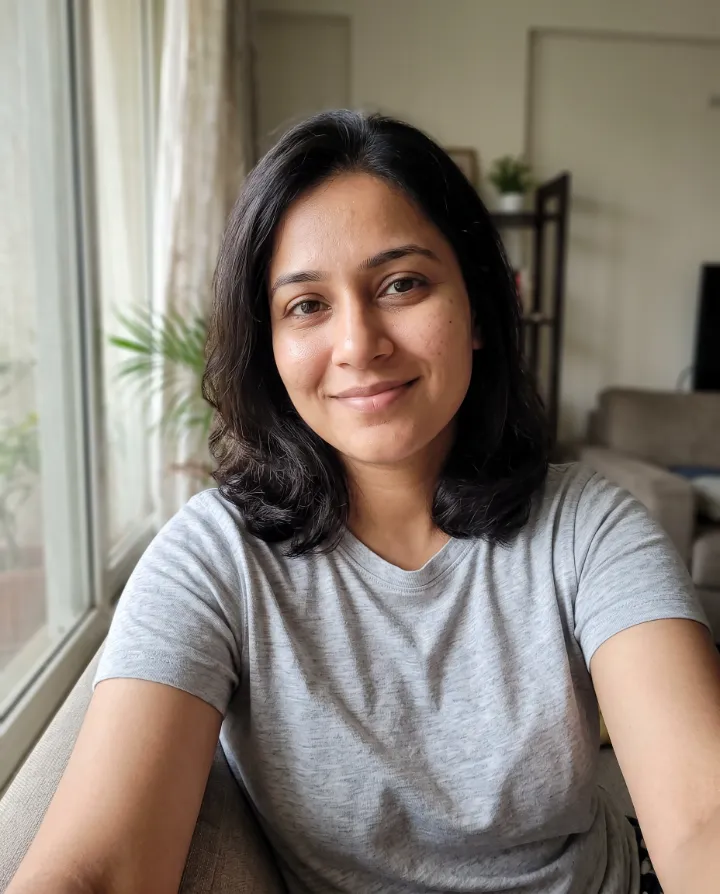
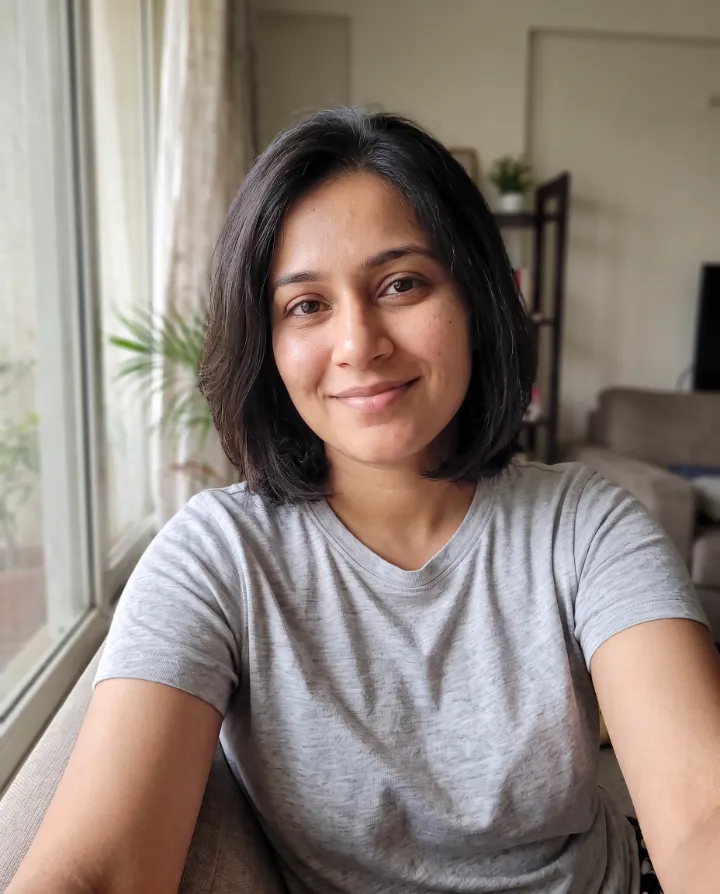
Made with Hair Style Editor on this site from a photo of an AI-generated person, not a real customer. Your results depend on your photos and settings.
Why use it
See yourself with a bob, waves, a crew cut or any style you describe, with your face, expression and outfit left untouched.
- A dozen ready-made styles
- Or describe your own
- Keeps your face and background the same
How it works
- 1
Upload the photo you want to fix or change.
- 2
Choose the options, or paint the area for tools like Magic Eraser.
- 3
Download the edited photo in full quality.
Questions
- Can I change hair colour too?
- Yes. Choose “Describe my own” and include the colour, for example “shoulder-length copper waves”.
- What file types work?
- JPG, PNG and WebP. Large photos are resized to 2048 pixels on the longest side before upload, which also removes location data.
- Do you keep my original photo?
- No. Uploaded photos are deleted as soon as your result is ready. Results stay in your account until you delete them.
More photo editor tools
- Image UpscalerIncrease resolution up to 4K without the blur.
- Magic EraserPaint over objects, people or blemishes and they disappear.
- Unblur ImageRescue shaky, out-of-focus or soft photos.
- Photo EnhancerCrisper detail, cleaner texture and better overall quality in one click.
- Bokeh EffectBlur the background like a professional portrait lens.
- Text RemoverRemove captions, date stamps and stray text from a photo.